Tutorials / Alerts & notifications
Alerts & notifications
Daily digests for your team, reminders for your vendors, and a weekly sanctions-list refresh — all automatic.
- 1
What your team receives
Once a day, the app emails a digest to your organization when there's something to act on: documents that have expired, items still missing, and documents entering your warning window. No noise — if everything is clear, no email.
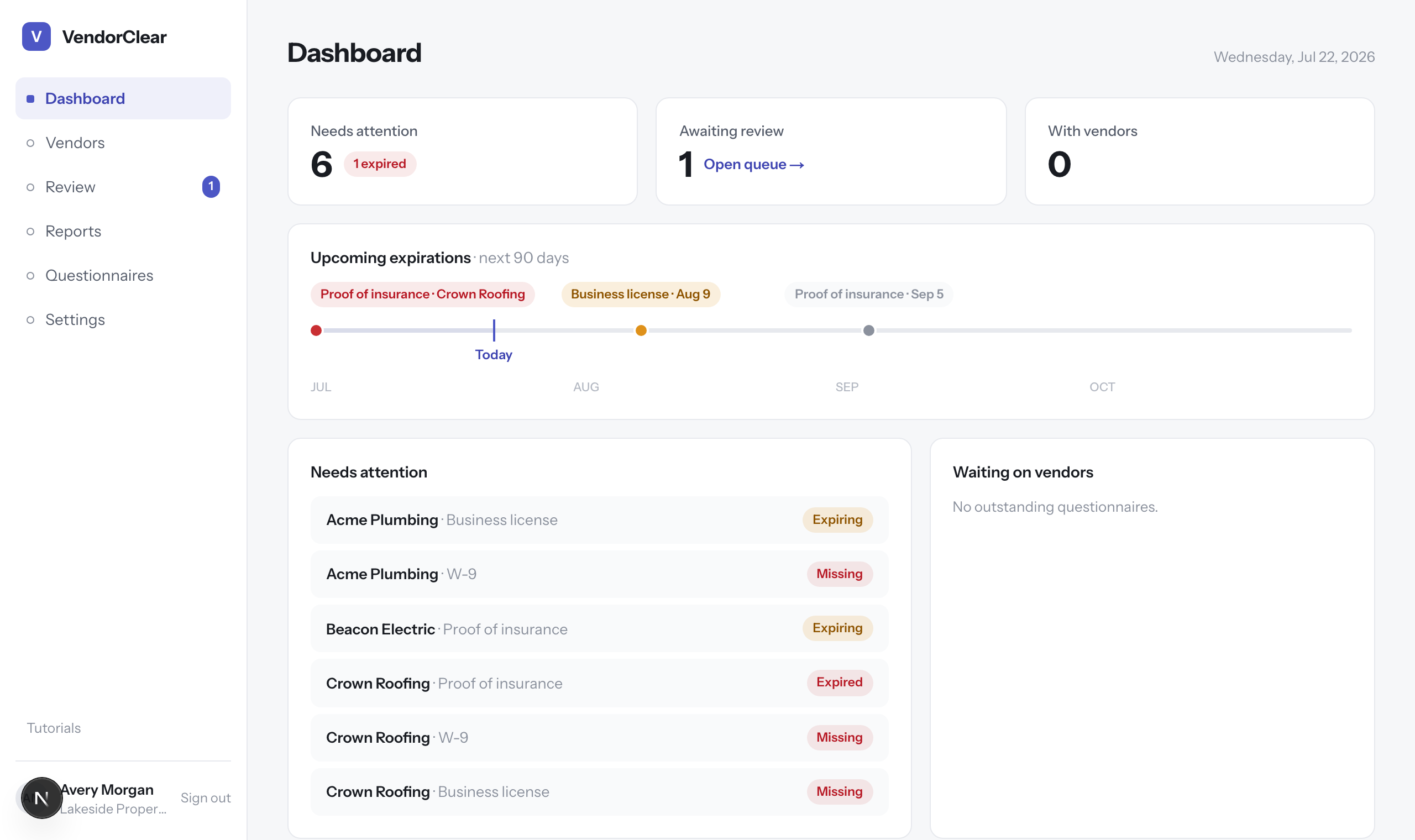
Everything the digest reports is live on the dashboard. - 2
What your vendors receive
Vendors get the questionnaire email when you send it, a reminder if they haven't submitted, and a revision-request email with a fresh link when you ask for changes. Every message comes from your organization's name via VendorClear.
- 3
Tune the timing
The warning window in Settings → Organizationcontrols how early “expiring soon” alerts begin. Set it to match how long your vendors typically need to renew — 30 days is a common choice.
- 4
Behind the scenes
The daily job is idempotent — each alert is sent exactly once, even if the job reruns — and it also refreshes the OFAC sanctions list weekly so screenings stay current. There's nothing to configure or maintain.
Tip · The Dashboard mirrors everything the digests report, live — the email is the nudge, the dashboard is the work surface.
